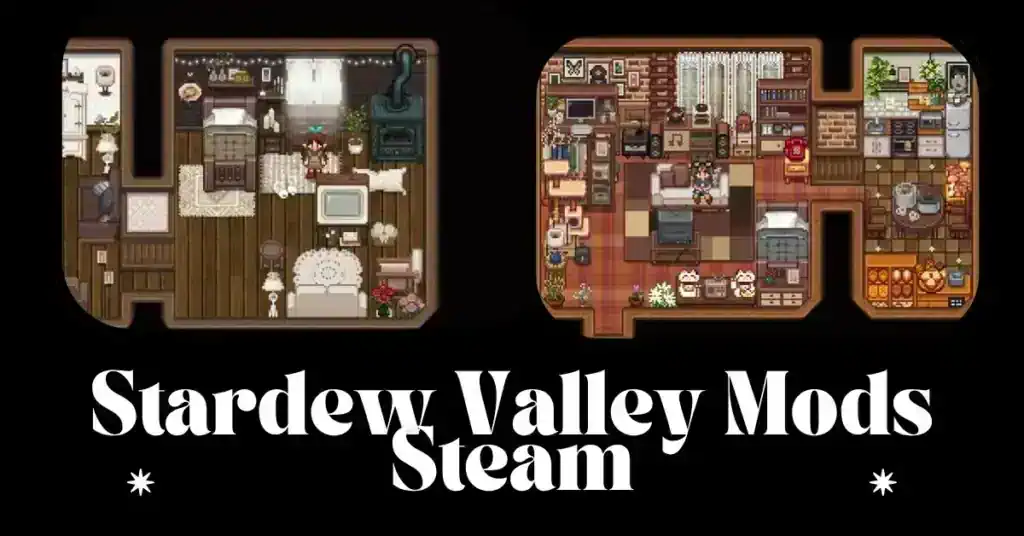
Modding Stardew Valley transforms an already charming farming simulator into a deeply personalized experience. With the right tools, we can expand gameplay, enhance graphics, improve performance, and even create entirely new mechanics that feel seamlessly integrated into the world.
This comprehensive guide explains everything necessary to begin modding Stardew Valley safely and efficiently—perfect for beginners and returning players.
Why Mod Stardew Valley?
Modding allows us to tailor the game to our preferences:
- Enhance visual quality and textures
- Add new crops, animals, NPCs, and festivals
- Improve user interface and quality-of-life features
- Create new tools, mechanics, and even story arcs
- Fix limitations and expand replayability
When done correctly, mods elevate the Stardew Valley experience without compromising stability.
Essential Tools for Getting Started
1. SMAPI—The Heart of Stardew Valley Modding
SMAPI is the foundational mod loader required for most Stardew Valley mods. It manages mod functionality, handles compatibility, and tracks errors.
Key Benefits
- Loads and runs all major mods
- Displays helpful error logs
- Ensures compatibility across updates
- Safe to use and widely supported
2. Content Patcher
Many modern mods rely on Content Patcher, enabling image, data, and map changes without replacing core game files.
Why It Matters
- Simplifies mod installation
- Supports complex reskins and texture overhauls
- Ensures updates don’t break visual mods
3. Mod Managers
Using a mod manager streamlines installation and organization.
Recommended Options
- Vortex (Nexus Mods)
- ModDrop
- Stardrop (Stardew-specific, extremely beginner-friendly)
How to Install SMAPI (Step-by-Step)
Follow these steps to ensure a clean, safe installation:
Step 1—Download SMAPI
Visit the official SMAPI page and download the version matching your platform (Windows, Mac, or Linux).
Step 2—Run the Installer
Run the .exe OR .sh file and follow the prompts. The installer automatically creates a new launch shortcut for SMAPI.
Step 3—Launch Through SMAPI
Always play the game using the SMAPI shortcut so that mods load properly.
Setting Up Your Modding Folder Structure
SMAPI creates a Mods folder inside your Stardew Valley directory.
Stardew Valley/
└── Mods/
    ├── ContentPatcher/
    ├── LookupAnything/
    ├── Automate/
    └── YourCustomMods/
Simply drag and drop mod folders into the Mods directory. Avoid stacking nested folders—mods must be one level deep.
Must-Have Beginner Mods for 2025
1. Content Patcher
Required for the majority of visual and data mods.
2. UI Info Suite 2
Improves gameplay clarity by displaying useful information like crop timers, heart levels, and more.
3. Automate
Allows machines to connect and operate automatically—an essential quality-of-life upgrade.
4. Lookup Anything
A powerful info tool to check NPC likes, crop growth, machine outputs, and item properties.
5. Seasonal Outfits
Adds immersive seasonal clothing to NPCs.
Creating Your First Custom Mod
Even as beginners, we can create simple mods using Content Patcher.
Folder Structure for a Basic Mod
Create a folder named after your mod:
MyFirstMod/
└── content.json
└── assets/
    └── example.png
Example content.json Template
{
  "Format": "1.28.0",
  "Changes": [
    {
      "Action": "Load",
      "Target": "Characters/Farmer",
      "FromFile": "assets/example.png"
    }
  ]
}
This simple example overrides a character texture, but Content Patcher supports hundreds of conditions and actions.
Best Practices for Safe Modding
1. Keep Backups
Always back up:
- Save files
- The entire Stardew Valley folder
2. Read Mod Descriptions Carefully
Mods often note:
- Required dependencies
- Conflicts with other mods
- Game version compatibility
3. Check Error Logs
SMAPI automatically creates logs to help troubleshoot crashes or conflicts.
4. Update Mods Regularly
Outdated mods cause most compatibility issues after game updates.
Troubleshooting Common Issues
Game Crashes on Launch
- Update SMAPI
- Remove outdated mods
- Check log files for errors
Visual Mods Not Loading
- Ensure Content Patcher is installed
- Check for nested folders
SMAPI Window Closes Instantly
- Run SMAPI through its generated shortcut
- Check anti-virus false flags
Suggested Mermaid Diagram
Here is a visual representation of the beginner modding workflow:
flowchart TD
    A[Install SMAPI] --> B[Set Up Mods Folder]
    B --> C[Install Content Patcher]
    C --> D[Download Mods from Trusted Sources]
    D --> E[Launch Game with SMAPI]
    E --> F{Working?}
    F -- Yes --> G[Enjoy Modded Gameplay]
    F -- No --> H[Troubleshoot Using SMAPI Logs]
    H --> E
Where to Find High-Quality Mods
Trusted Sources
- Nexus Mods
- ModDrop
- Stardew Valley Discord Modding Channels
- GitHub (for developer-maintained mods)
Avoid random file-sharing sites, as they may contain broken or unsafe mods. Also…want even more control? Learn how to install SMAPI and Stardew Valley Mods safely.
Advanced Modding: Going Beyond Basics
1. Creating JSON Assets Mods
Allows addition of new:
- Crops
- Fish
- Crafting recipes
- Objects
2. C# SMAPI Mods
For players wanting to code entirely new systems.
3. Map Editing with Tiled
Used for:
- Custom farms
- New NPC houses
- Entirely new areas
Frequently Asked Questions
Does modding Stardew Valley affect my saved game?
Most mods are safe, but always back up saves.
Can mods be used in multiplayer?
Yes, but both players should have the same mods installed.
Is modding allowed by the developer?
Yes—Concerned Ape actively supports community modding.
Will updates break my mods?
Sometimes. Always check for updated versions after game patches.
Do mods slow down the game?
Too many heavy mods may, but SMAPI optimizes performance effectively.
Conclusion
Modding Stardew Valley opens up limitless creative possibilities, whether upgrading visuals, adding quality-of-life features, or crafting entirely new experiences. By using SMAPI, Content Patcher, and a handful of essential tools, beginners can safely dive into customizing their world in meaningful and enjoyable ways.
If you are a gaming lover, then you must visit our Stardew Valley website for more guides, modding tutorials, and game updates.